Simple Side Note 1.3.0: Notes That Tidy Themselves with Auto-clean and Trash
UPDATE · v1.3.0
Just keep jotting — it tidies itself up
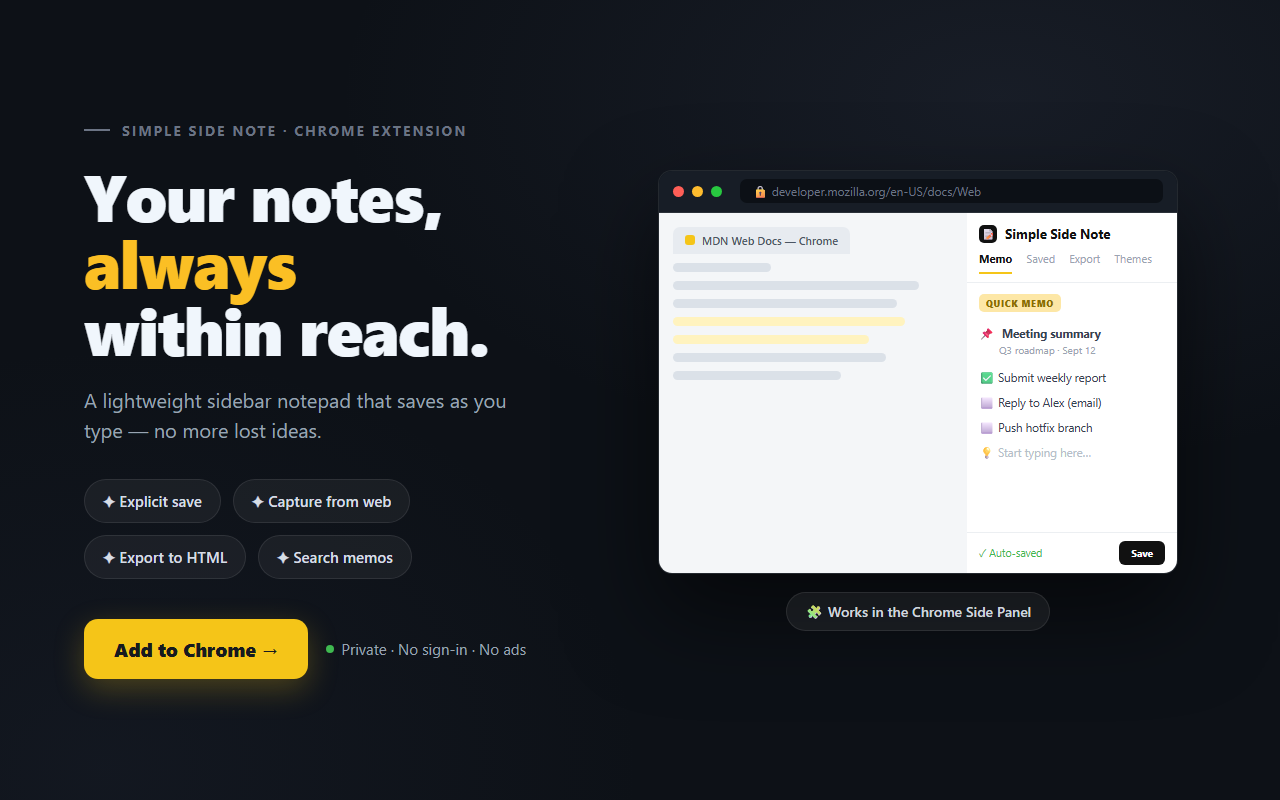
Simple Side Note — the lightweight notepad that lives in your browser sidebar — is out in 1.3.0. In one line: "Less cleanup by hand, and every delete is undoable."
📝 At a glance
- 🧹 Auto-clean old memos — unpinned memos clear themselves after a chosen age (7 / 30 / 90 days)
- 🗑️ Trash — deleted memos are kept for 30 days and can be restored anytime
- 📌 Pin = "keep this" — pinned memos are never auto-cleaned
- 🛡️ Off by default — nothing is removed until you opt in
🧹 Auto-clean old memos — the headline feature
Every lightweight notepad has the same dilemma. It's great for jotting things down the moment they pop up, but over time most of those turn into throwaway notes you no longer need — and deleting them one by one is quietly annoying.
So 1.3.0 adds ⚙️ Settings → Saved memos → Auto-clean old memos. Pick 7, 30, or 90 days and any unpinned memo older than that is swept away automatically each time you open the panel. Just keep writing.
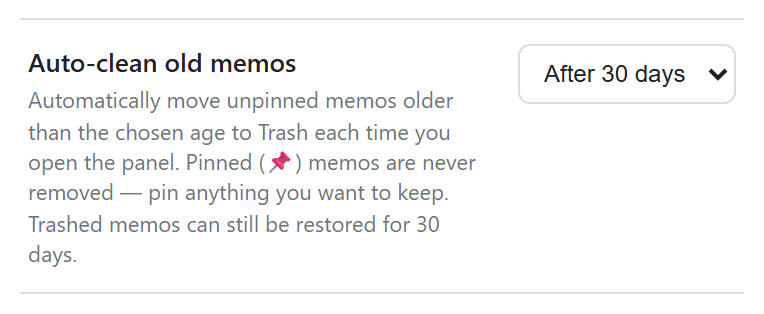
Keep something? Pin it 📌
The trick is that auto-clean reuses the existing pin (📌) feature.
- Pinned memos are never cleaned, however old they are. 📌 simply means "keep this."
- The memo you're currently editing is never removed either.
- Age is measured from the last time you edited a memo — an old note you touched recently stays.
- And it's Off by default — nothing is cleaned until you choose an age.
🗑️ Trash — delete without the fear
"Auto-delete? What if it takes something I need?" That's exactly why Trash ships alongside it. Deleting a memo now moves it to Trash instead of destroying it — whether you deleted it by hand or auto-clean did.
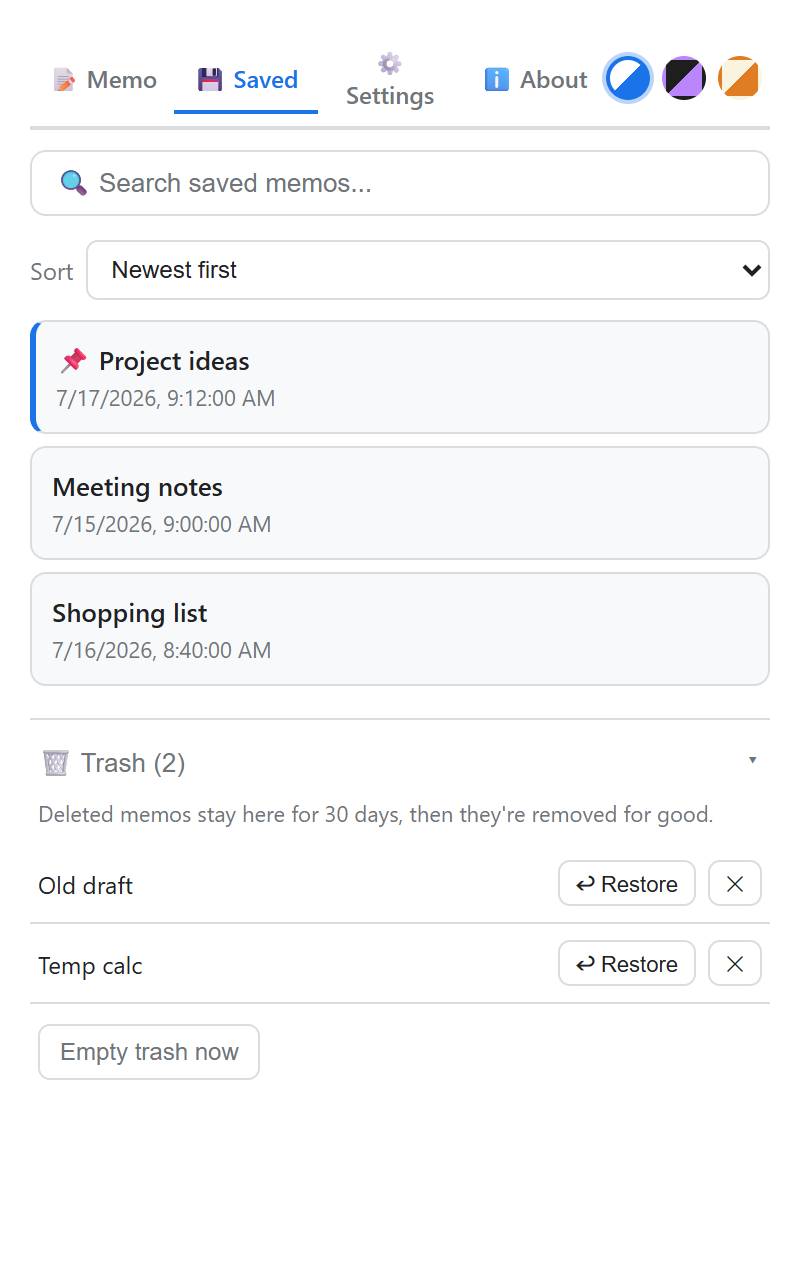
Open the 🗑️ Trash panel at the bottom of the Saved tab and you can:
- ↩ Restore — put a memo back into your saved list.
- ✕ — delete just that memo permanently.
- Empty trash now — clear the whole trash at once.
Trashed memos are kept for 30 days, then purged for good — so accidental deletes are recoverable, while the trash never grows without end.
📢 This update is for you if…
- ✅ Notes pile up but you keep putting off cleanup → let auto-clean handle it
- ✅ You worry about deleting the wrong thing → 30-day undo via Trash
- ✅ Important notes get lost among scratch ones → pin the keepers
Install & update
- 🛒 Chrome Web Store: Install Simple Side Note
- 💻 GitHub: github.com/swyoonlabs/simple-side-note
- 🌐 Developer Blog: swyoonlabs.blogspot.com
If you already have it installed, the Web Store updates you automatically.
Installed from source? Pull the latest and hit Reload at chrome://extensions/ to get 1.3.0.
Simple Side Note keeps every memo on your device only — nothing is sent to a server. Auto-clean and Trash both happen entirely inside your browser. Your notes stay yours. 📝


Comments
Post a Comment