Learn English Phrasal Verbs with Short Quizzes in Chrome
In one sentence: Phrase Hero is a free Chrome side-panel game for practising English phrasal verbs in short sessions without leaving the page you are reading.
Why phrasal verbs are difficult to retain
Knowing the individual words in figure out, turn down, or follow up on does not guarantee that you will recognise the complete expression quickly. The meaning depends on the combination, and a list in a notebook rarely provides enough retrieval practice.
I built Phrase Hero because I wanted practice that was easier to start. It stays in Chrome's side panel, presents one small decision at a time, and lets a learner complete a round without opening a separate study service.
How a practice round works
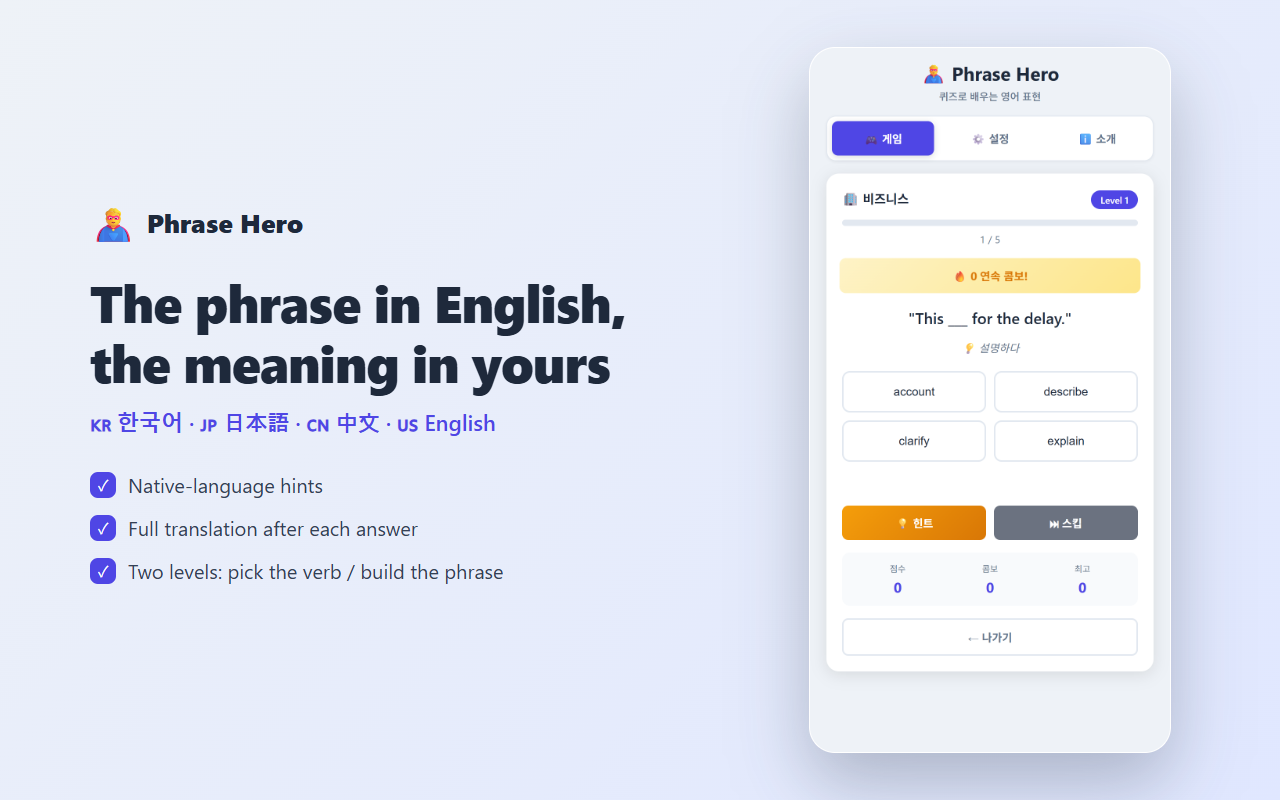
Choose a world such as business, communication, daily life, study, or career. Each world contains two exercise styles.
| Level | Task | What it trains |
|---|---|---|
| Level 1 | Choose the missing verb from four options | Recognition in context |
| Level 2 | Select the verb and particle in the correct order | Recall of the complete phrase |
After an answer, Phrase Hero shows the completed sentence and its meaning. The immediate feedback matters: you see the expression in context while the choice is still fresh in memory.
English examples, explanations in your language
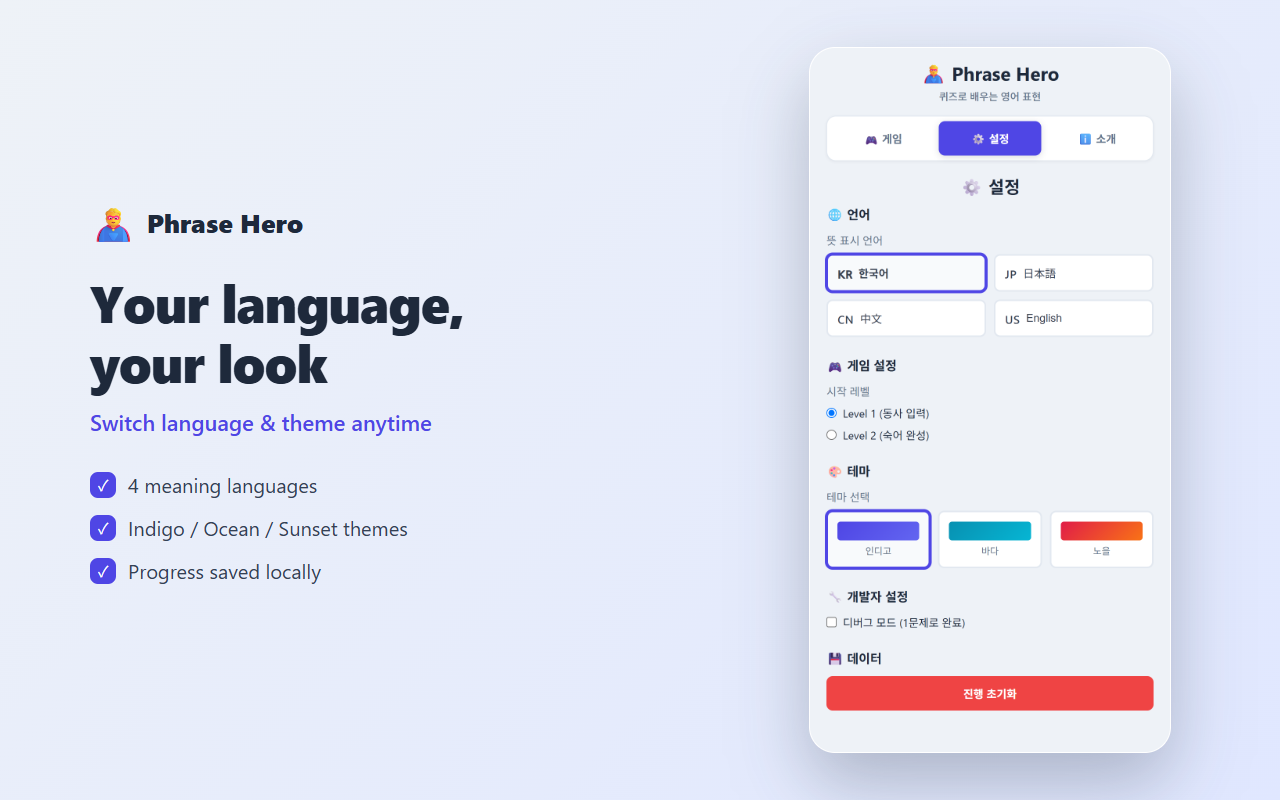
The sentence and answer choices remain in English. The supporting meaning can be displayed in Korean, Japanese, Chinese, or English. This keeps attention on the English expression while making the explanation accessible to learners who do not yet want an English-only dictionary definition.
The language setting, visual theme, and progress are stored by the extension. You can close the panel and return later without creating an account.
A five-minute routine
You do not need to finish every world in one sitting. A practical routine is:
- Open Phrase Hero while reading or before starting work.
- Complete one short round.
- Read the full sentence after every answer.
- Review the expressions you missed.
- Stop after five minutes and return the next day.
Short retrieval sessions are easier to repeat than a large weekly study plan. The score, combo, and time bonus add momentum, but the useful part is repeatedly producing the missing expression.
Themes and local progress
Phrase Hero includes indigo, ocean, and sunset themes. Your selected language, theme, and learning progress are kept in browser storage. The extension does not require a Phrase Hero account.
Install Phrase Hero
The easiest option is the Phrase Hero listing on the Chrome Web Store.
Developers can also inspect or install the source version:
- Download or clone the Phrase Hero GitHub repository.
- Open
chrome://extensions/in Chrome. - Enable Developer mode.
- Choose Load unpacked and select the project directory.
- Select the Phrase Hero toolbar icon to open the side panel.
The project is open source under the MIT licence. Bug reports, translation corrections, and feature suggestions are welcome through GitHub.
Who it is for
Phrase Hero is useful if you understand grammar explanations but still hesitate when a common multi-word expression appears in conversation or writing. It is not intended to replace reading, listening, or speaking practice. It provides a small, repeatable exercise for the expressions that are easy to recognise once and forget later.


Comments
Post a Comment